
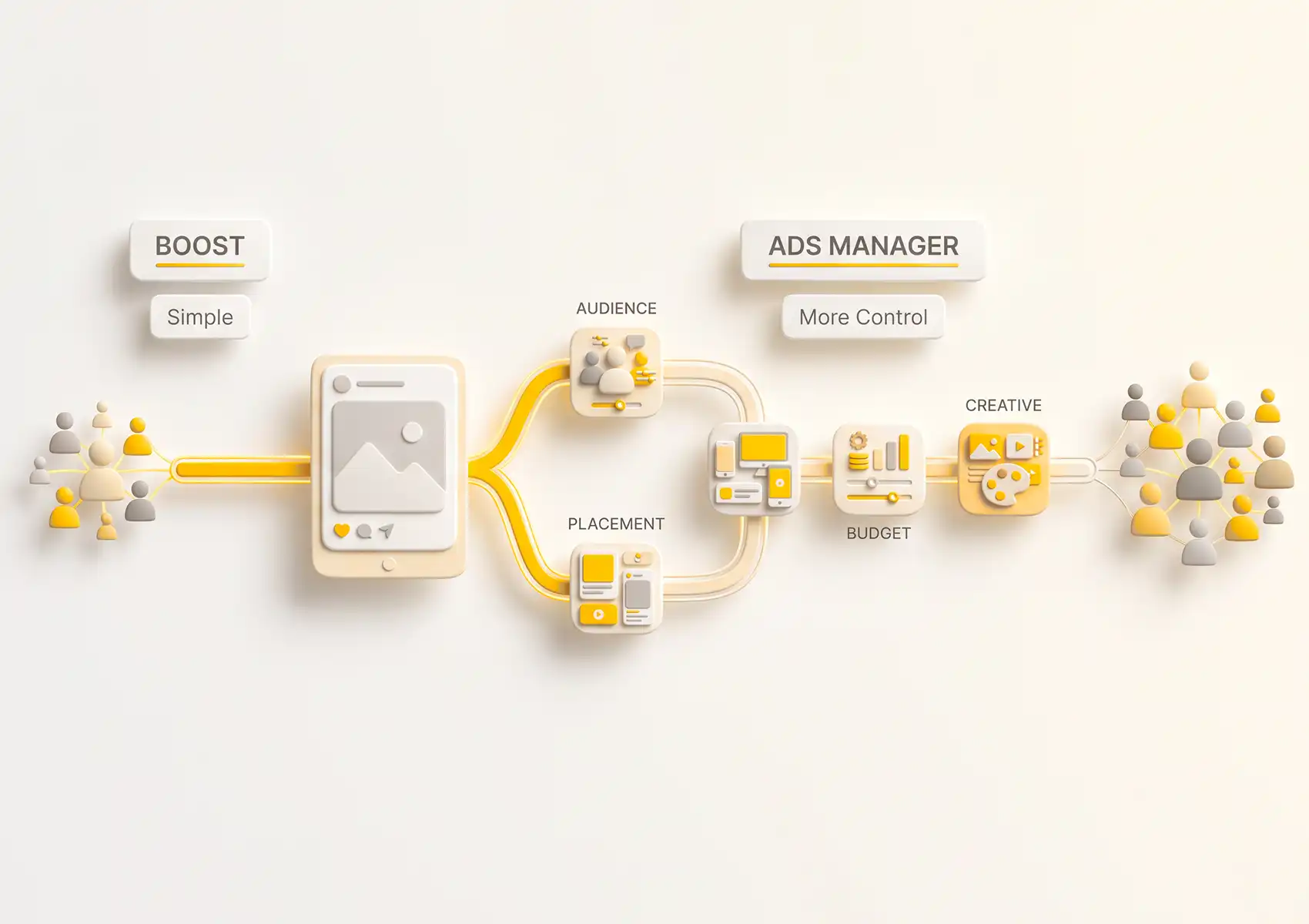
Many business owners assume boosted posts and ads are the same. They are not. Boosting begins directly on the post, while campaigns are built in Meta Ads Manager. That starting point shapes your targeting options, cost control, and reporting quality.
The Boost button is built for speed. It sits under your post, takes less than a minute to use, and reports reach as the main outcome, a number that is often mistaken for real business results.
That simplicity comes at a cost. Using the wrong tool month after month means paying for impressions instead of customers. This article breaks down what each option delivers, so you can choose wisely instead of defaulting to convenience.
What Is a Boosted Post
Boosting a post is Meta’s simplest ad option. You pay to show an existing post to people who do not follow your page, all without leaving your main feed.
How Boosting Works
You pick a published post, set a goal, choose your audience, and enter your budget and duration. Meta handles the daily spend. Boosts can run for just a few days and still perform, making them a quick way to test paid promotion.
What You Can and Cannot Control With a Boost
The price of simplicity is limited control. You can add a call-to-action and pick your audience, but you cannot change the image, headline, or text. Placement options are basic, and you can’t set bid caps or manage costs beyond your total budget.
What Is a Meta Ad Campaign

You build a Meta ad campaign in Ads Manager, not from a post. Here, you set a clear objective and control almost every detail beneath it, from audience to creative to budget.
How Meta Ads Manager Works
Ads Manager works in three layers: the campaign sets your objective, the ad set controls audience, budget, placements, and timing, and the ad contains your creative. Understanding this structure separates a well-built campaign from a simple boost.
What You Can Control With a Proper Campaign
You can set objectives for traffic, leads, sales, video views, or app installs, not just engagement. You can exclude or target specific audiences, pick exactly where your ads appear, and run A/B tests on creative and targeting. Reporting is detailed, so you know what to optimise instead of guessing.
The Key Differences Between Boosting and Running Ads
The table below shows the practical differences between boosted posts and ads. Think of it as a control guide, not a quality ranking. Boosting is not broken, just more limited.
| Factor | Boosted Post | Ads Manager Campaign |
| Where it is created | Ad Centre, directly on the Page or profile | Meta Ads Manager |
| Objectives available | Limited, such as engagement, link clicks and messages | Full range, including leads, sales and conversions |
| Audience targeting | Basic, one audience at a time | Detailed interests, behaviours, custom audiences and exclusions |
| Placement control | Automatic or basic feed placements only | Individual selection across Facebook, Instagram, Messenger and Audience Network |
| Creative flexibility | Locked to the original post | New creative, carousel, video and dynamic formats |
| Budget control | Total budget across a set period | Daily or lifetime budgets, with bid and cost caps |
| Testing | Not available | A/B testing across creative, copy and targeting |
| Reporting depth | Basic insights | Detailed, customisable reports |
What About Dark Posts
A third option that often confuses reporting is the dark post. This is an ad built from existing content, but it does not appear on your public page feed.w up on your public page feed.
How a Dark Post Is Created
Inside Ads Manager, you can build an advert from an existing post rather than uploading fresh creative. Metricool notes that the moment you change settings such as adding a call-to-action button or applying detailed audience segmentation, Meta creates an additional post instead of promoting the original one. The outcome is boost-style content with campaign-level control.
Where Dark Post Results Appear
Results from dark posts do not show on your original post. Meta Ads tracks all engagement in the campaign list. If you have boosted something and cannot find the numbers on your page, this is usually why.
Which Option Is Right for Your Business
The right choice depends on your budget, your goal, and your available time. Neither tool is best for every case. Decide based on each campaign’s needs, not a blanket rule.
Choose Boosting If
- You have a small one-off budget and want quick visibility on a post that is already performing well organically.
- You are testing whether paid social does anything for your business at all, and you want to understand the mechanics before committing.
- The goal is engagement or page growth rather than a tracked sale or enquiry.
Choose Ads Manager If
- You are selling something with a measurable outcome, such as bookings, enquiries or online orders, and you need conversion tracking to prove it.
- You want to retarget people who have already visited your website or watched your video, which boosting cannot do with any precision.
- You plan to advertise continuously, not occasionally. The Digital Culture Network advises running campaigns for at least a week, so they can move beyond Meta’s learning phase before you judge the results.
For a Bali business, plan around Rp1.000.000 to Rp2.000.000 for a first week of testing, then adjust once you have real performance data.
Run Your Meta Ads Strategy With Gaia Digital Agency
The boosted posts vs ads decision comes down to what you need the spend to achieve, not which button you press. Let’s start with a conversation about which option fits your current goals and budget.


